Tickets, Automation & Billing
A full ticket console wired directly into monitoring, with automation, notifications, time tracking and invoicing built in, and linked to the ticketing system you already use if you have one.
The service desk queue
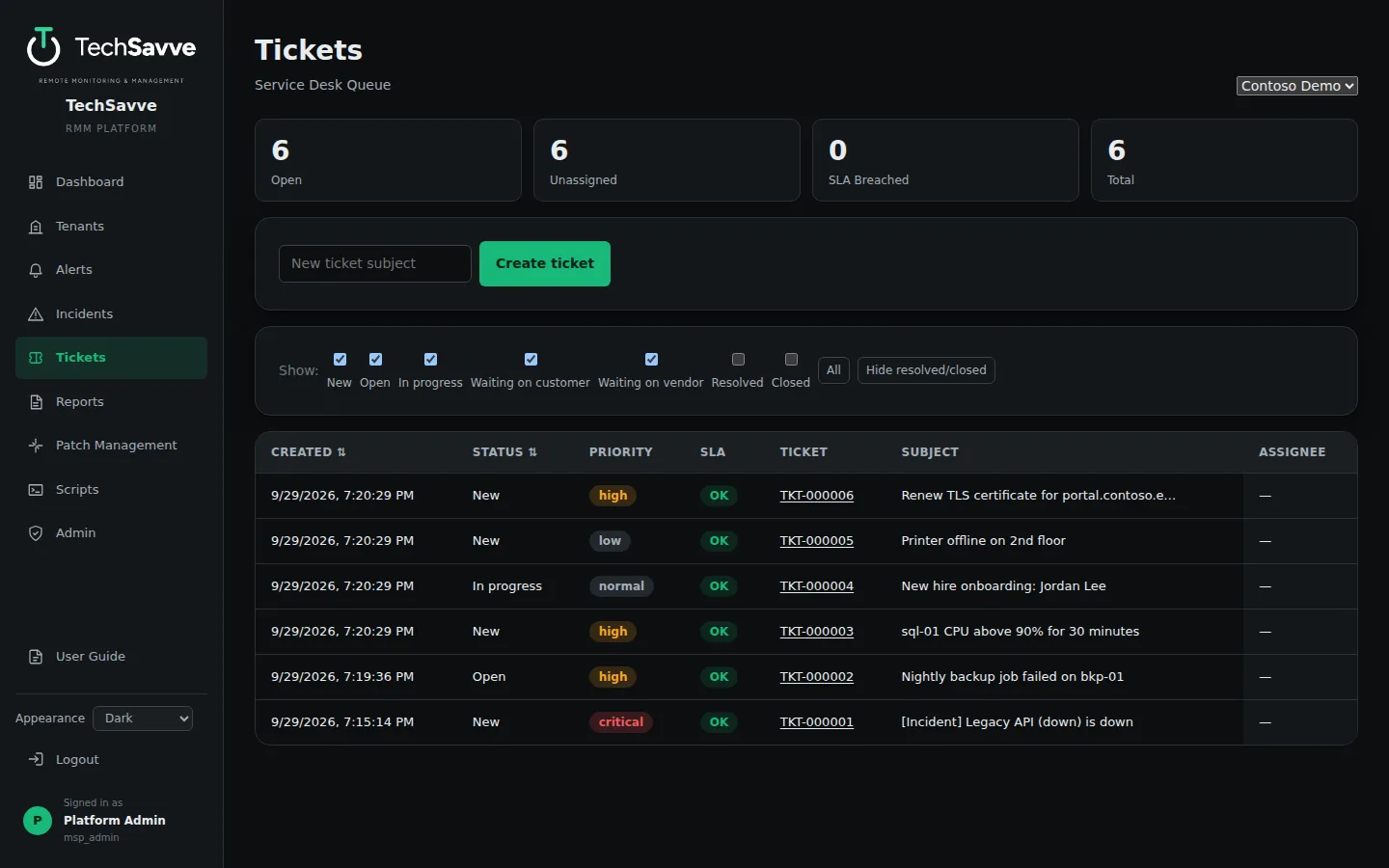
From alert to resolution in one place
Automatic ticket creation
Incidents open tickets with priority mapped from severity, and links back to the incident, monitor and site.
SLA tracking
24×7 SLA deadlines are frozen on each ticket, with breach computation built in.
Comments
Internal notes and public replies, plus an automatic recovery note when the issue clears.
Assignment and audit
Status, priority and assignee changes are logged per field, with full assignment history.
Already have a ticketing system?
Keep TechSavve’s own tickets, or link every ticket to the system your team already works in. Choose the destination for each customer.
Jira Cloud
Jira Software and Jira Service Management projects on Atlassian’s cloud.
Service desks
ServiceNow, Zendesk and Freshservice.
MSP PSAs
ConnectWise Manage, Autotask and HaloPSA.
Linked both ways
A ticket opened in TechSavve is created there too. Status changes and comments go both ways, and closing the ticket in either place closes it in the other.
Nothing lost while it is down
If the other system cannot be reached, changes wait and are sent when it is back.
Bring the backlog
When you connect, you can send the tickets that are already open, not just new ones.
Let routine problems fix themselves
Auto-remediation
Run an approved script automatically when a monitor keeps failing. Set how many failures first and how many attempts; if it is still down after the last one, a separate alert tells you. Success is judged by the monitor recovering, never by the script’s exit code.
On-call and escalation
A weekly rotation across your staff. New incidents go to whoever is on call by email and, if you like, by text; if nobody acknowledges within your timeout, it escalates to the next person. Off until you turn it on.
Respond without signing in
Every on-call email carries a single-use Respond link that opens the incident on a phone without signing in. From there the person paged acknowledges it, or, while its ticket is being worked, is pointed to that ticket. The link can do nothing else, and it expires.
Fixes on the record
When an automatic fix runs, what it did and whether the problem cleared is written on the alert, the incident and the ticket.
AI assistance (optional)
Ask which of your approved scripts fits a failing monitor, or have a new script drafted for you to review. Off by default, needs your own API key, nothing runs without a person approving it, and only a monitor’s name, target and error text are sent, and only when you click.
Time, billing and visits
Time tracking
Technicians log time against a ticket, a site or general work, billable or not. Once an entry is billed it is locked.
Invoices
Generate an invoice for a customer and period from the unbilled time and the contract’s recurring fee. Draft, issue or void it, and export PDF or CSV. A time entry can be billed only once. Payments stay in your own accounting software.
Service agreements
Attach billing terms to a contract: a monthly, quarterly or annual fee, hours included in each period, and an overage rate.
Dispatch
Schedule a visit on a ticket for its technician and see the planned visits on a calendar, for one customer or across all of them.
Notifications people can live with
Each person chooses
Every technician picks what reaches them: new incidents (all, or critical only), recoveries, tickets assigned to them or commented on by someone else, and collectors going offline.
Working hours
Each person sets their own hours and time zone. What arrives outside them waits and comes as one digest when their hours start, while critical incidents can still come through at any time.
Text messages
Notifications and on-call pages by SMS through your own Twilio, Plivo or Amazon SNS account, alongside email.
Your mail, your words
Send through Microsoft 365 or any SMTP server, send a test from the settings page, and edit the wording of the on-call messages.
See TechSavve RMM in action
Book a free demo with the DFWTechPros team.