Remote monitoring & management, without the agents.
Agentless · multi-tenant · built for MSPs
TechSavve RMM watches your servers, PCs, virtual machines, network gear, websites and cloud accounts, opens tickets when something breaks, keeps systems patched, and reports back, with nothing to install on the devices you manage in order to monitor them.
Three products, run your way
Each one on your own server with a 30-day free trial, or hosted for you by us.
TechSavve NOC
Agentless remote monitoring and management with a built-in PSA (tickets, time and invoices) for MSPs. With TechSavveRDP and TechSavve PassVault, included or as add-ons.
TechSavveRDP
Self-hosted remote desktop for unattended access and one-time support sessions, with a web console for your technicians. Also part of TechSavve NOC.
TechSavve PassVault
Your team’s password vault on its own address in your branding. Works with the Bitwarden apps and browser extensions. Also part of TechSavve NOC.
AI that helps your technicians, on your terms New
Ask a question in plain English, get an alert or incident explained, or have a ticket reply drafted. It runs on the AI you choose, under your own account, so that company bills you by use and there is no AI fee from us, or on Ollama on a server of your own, so nothing leaves your network.
Ask the NOC
A chat that answers questions about your customers, devices, alerts and tickets using read-only look-ups, and sees only what the person asking is allowed to see.
What’s wrong?
One click on an alert, an incident, a device or a dashboard situation explains it in plain words from what TechSavve already knows, including what changed just before it began.
Drafts, not decisions
A ticket reply, a work summary or a resolution note, and a script drafted for review. A person edits and sends. No AI feature changes anything.
Your engine, your rules
Choose Claude, ChatGPT, Gemini, Grok, DeepSeek, Mistral AI, GitHub Models, Azure OpenAI, Amazon Bedrock or Ollama, add a fallback, and switch each feature off. Credentials, vault entries and monitor settings are never sent.
New. The assistant, and each engine you can choose, was tested against simulated providers and has not yet been run by a customer against a live account with each vendor. The Test connection button checks yours before you rely on it.
Why TechSavve
Agentless
One small collector per site checks devices over WinRM, SSH and SNMP. Nothing to install, update or troubleshoot on every endpoint.
Built for MSPs
True multi-tenancy with database-level isolation, five roles, a customer portal with approvals and status pages, and phone apps for your team.
Everything in one place
Monitoring, early warnings, virtualization and cloud, network traffic, patching, remote access, automation and auto-remediation, AI assistance, tickets, billing, documentation, compliance evidence and reporting in a single platform.
Explore the platform
See it in action
A one-minute tour with no sound: the dashboard, quieter alerts, self-healing runbooks, what a customer’s network shows to the internet, living documentation, the Standard Library, the audit trail, the status page and the customer portal.
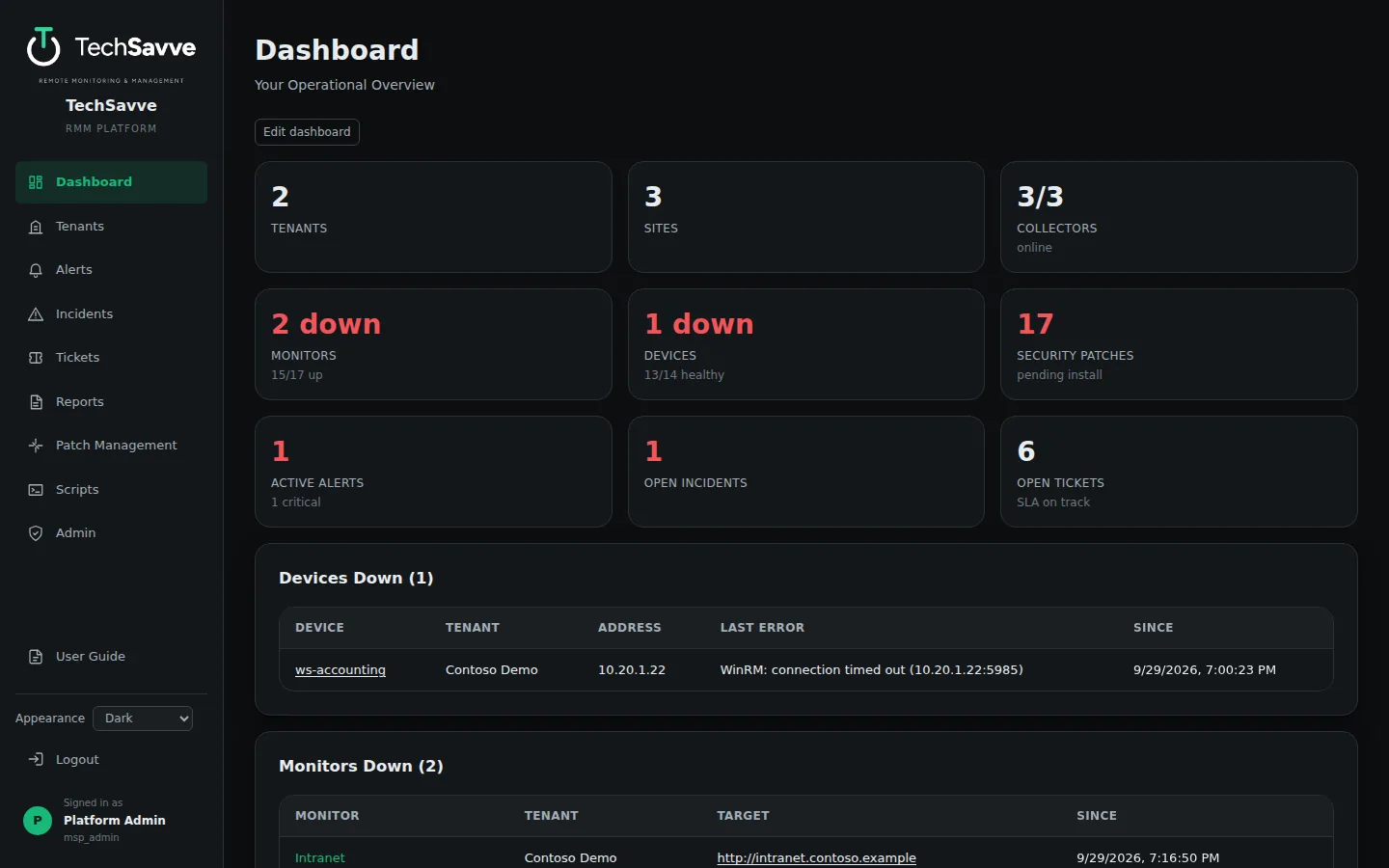
A live picture of every client
The dashboard rolls up monitors, devices, collectors, patches, alerts, incidents and tickets across all of your tenants, and every widget is customizable per user.
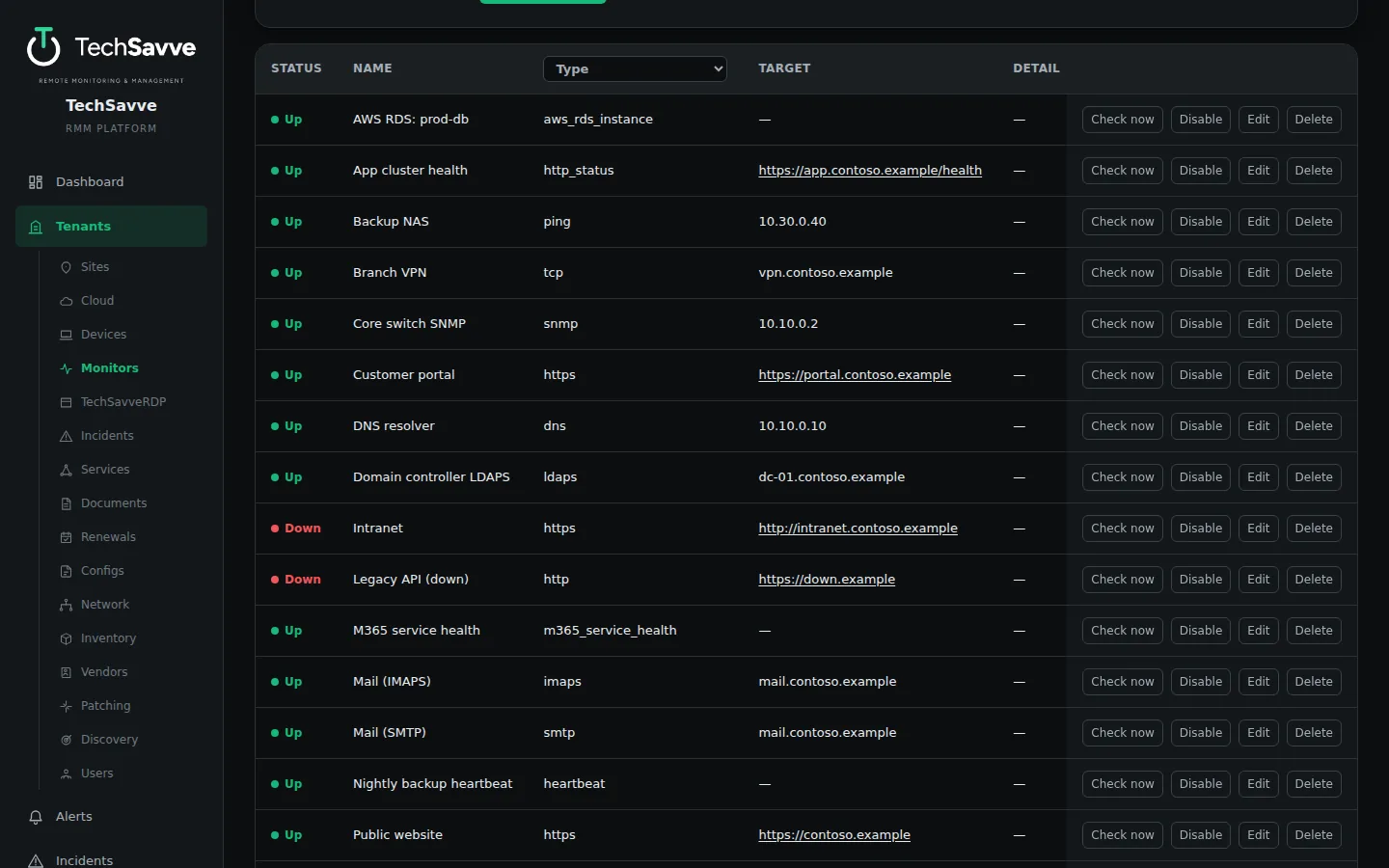
Monitor anything, from one list
Websites, mail, DNS, databases, network gear and cloud services sit side by side, with one-click check, disable and edit.
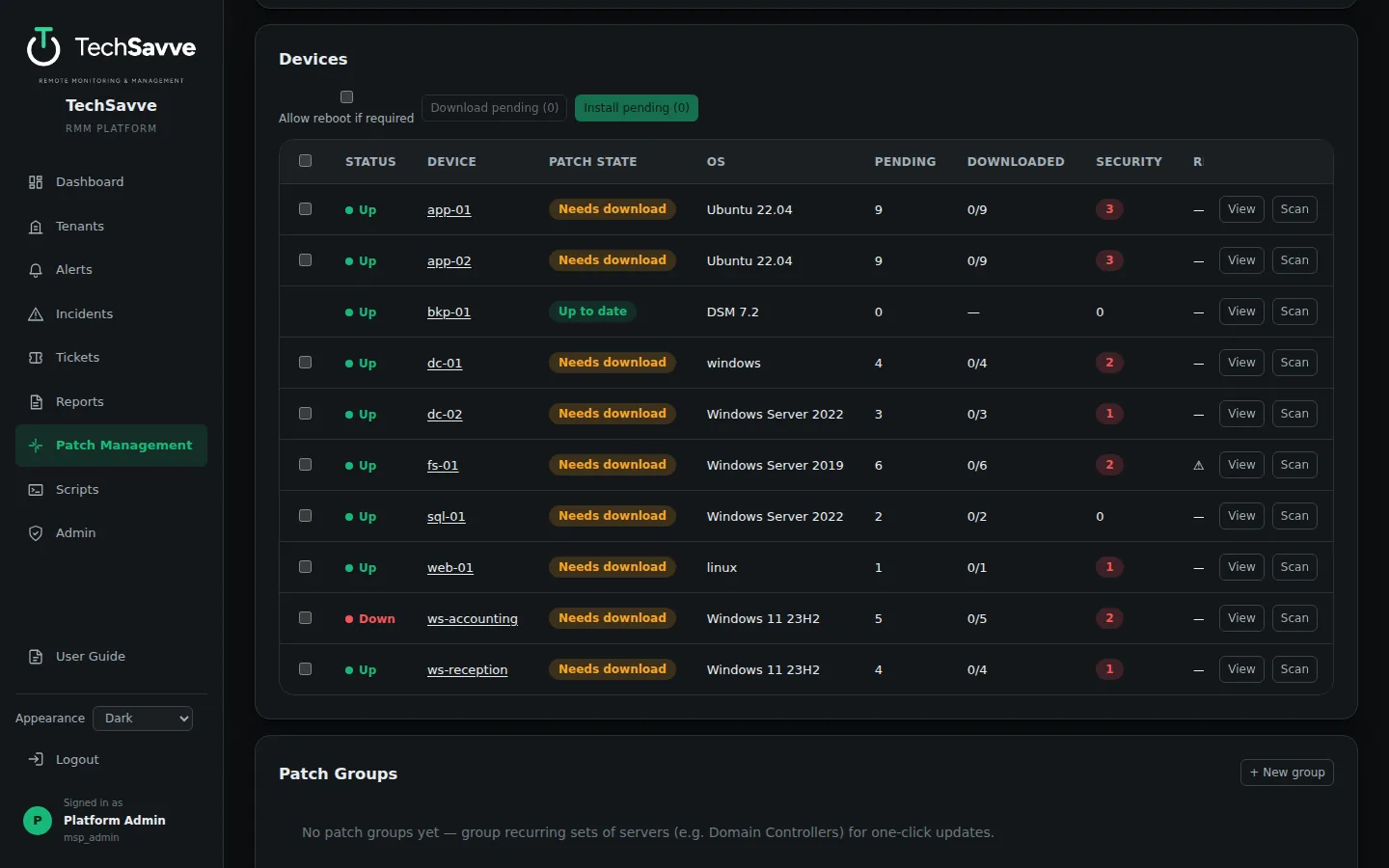
Patching under control
See pending and security updates for every Windows and Linux device, then download, install or schedule them in your maintenance window.
Try it live, no sign-up
Sign in to a real TechSavve NOC running two made-up customers, a dental group and a law firm, with servers, PCs, a NAS and a firewall. Devices go down, alerts fire and incidents open on their own, so there is always something to look at.
The guest sign-in is a view-only technician account: it can browse monitoring, devices, alerts, incidents, tickets, scripts and graphs, but change nothing. Billing, the customer portal and Admin are not part of that account, so ask for a demo to see them. Every name and device in the demo is invented.
Guest sign-in
Type these into the email and password boxes on the demo's sign-in page.
guest@demo.techsavve.com- Password
TechSavve-Demo-Guest
The demo is shared, and resets itself every 15 minutes.
Guides for MSPs
Practical how-tos for the work MSPs do every week.
Agentless vs agent-based RMM: how they differ and when each fits
How agent-based and agentless RMM monitoring work, where each is stronger, the security trade-offs, and how to choose for your customers.
How to set up DMARC for a customer domain, step by step
Set up SPF, DKIM and DMARC for a customer domain without blocking real mail: find every sender, publish p=none, read the reports, then move to reject.
How to stop customer SSL certificates expiring by surprise
Why certificates still expire with auto-renewal, the shorter lifetimes coming, and a routine that catches every certificate before it runs out.
Self-hosted vs cloud RMM: what MSPs should weigh
Where your customers' data lives, who keeps the platform running, security, cost and network reach: the questions to answer before choosing a self-hosted or cloud RMM.
Patch management for MSPs: a process that keeps up
A patch management process for MSPs: inventory, rings, maintenance windows, reboots, urgent fixes, third-party software and reporting to customers.
Onboarding a new MSP customer: a checklist
What to do in the first 30 days with a new managed services customer: discovery, access, documentation, monitoring, backups, security baseline and the first review.
See TechSavve RMM in action
Book a free demo with the DFWTechPros team.