
Documentation & Assets
Stop hunting for details in spreadsheets. Keep records where the work happens, and put a configuration back when a change goes wrong.
Managed devices and assets
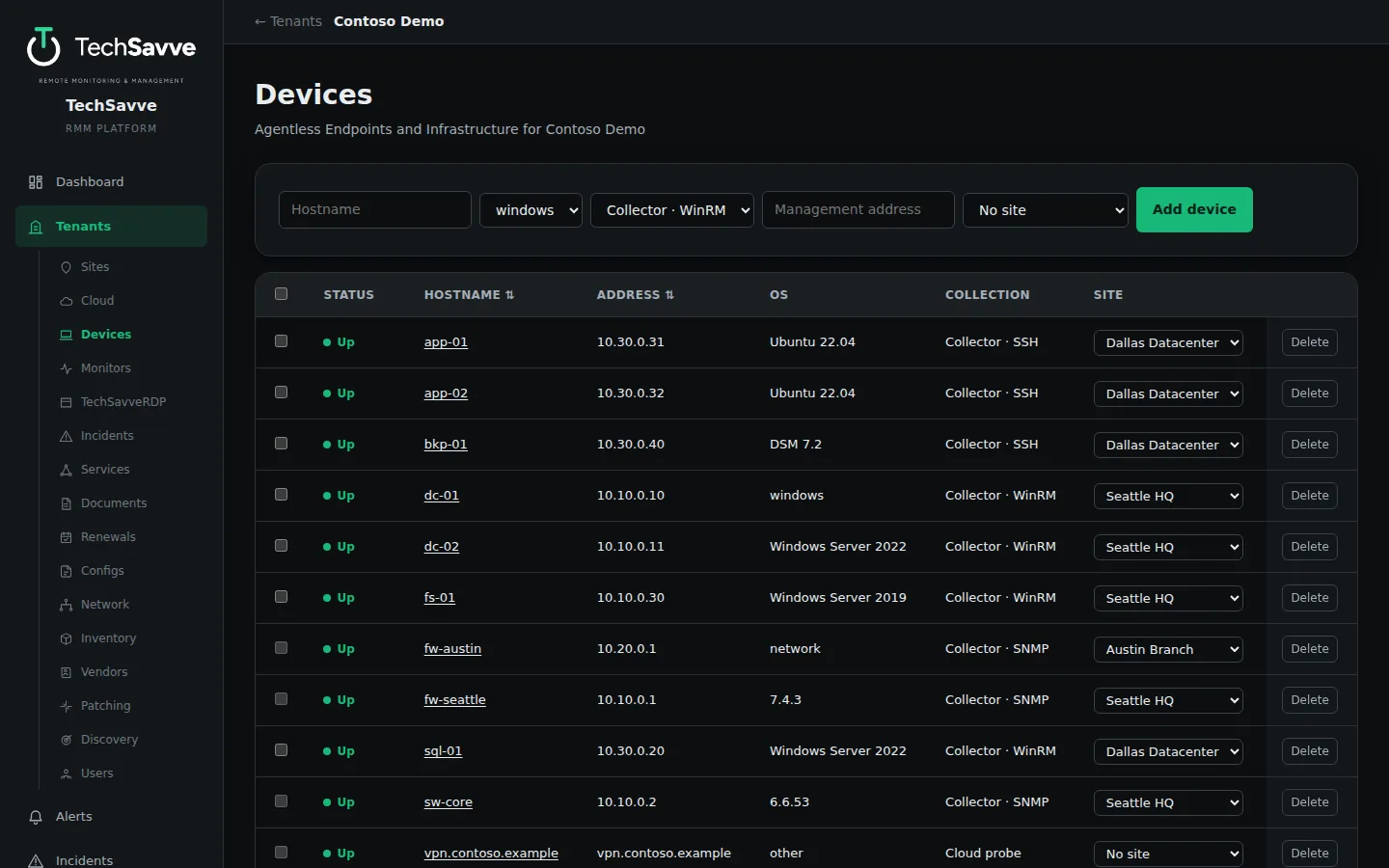
Your entire environment, documented
Inventory & assets
Automatic hardware rollup, a manual asset register, serial, warranty and owner details, and a recent-changes view.
Configuration history & rollback
Capture device configurations over time, compare versions side by side and get alerted when one drifts. Configuration files (the SSH server, sudo rules, hosts, nginx or any file you name) and Linux firewall rules can be rolled back to a known good version: the device’s own check runs first, and on Linux, if the device cannot be reached afterwards, it puts the previous version back by itself.
Documents
A Markdown knowledge base with version diffs and review dates, linked to the devices, sites and services it describes, with a Standard Library for your SOPs and policies and living documents that write themselves.
Renewals
Track certificates, domains, licenses, contracts and subscriptions for each customer and site. Domains from your GoDaddy account and the certificates your SSL monitors see are picked up automatically, and Let’s Encrypt certificates can renew themselves. Note which payment card pays for each subscription, by its last four digits and expiry only, and get an alert 60 days before a card expires, naming everything charged to it.
Network & IPAM
Subnets, VLANs and IP addresses for each site, filled in from vCenter where you have one.
Certificates & keys
A vault for SSL and code-signing certificates and SSH keys. Files and passwords are encrypted, each certificate’s expiry becomes a renewal, only MSP administrators can take a private key out, and every access is logged.
DNS and email records New
Reads your zones from GoDaddy, Cloudflare and Amazon Route 53 and flags the usual problems: a missing or loose SPF record, no DMARC, no CAA, DNSSEC off, Cloudflare’s SSL mode set too weak, and records that point at private addresses. Changes are kept as a history.
Services & impact map
Model service dependencies to see what is affected when a device fails, with each business service’s live state and availability.
Vendors & vendor payments New
Vendor account numbers and support details, visible to MSP staff only. Connect a vendor’s GoDaddy account and its domains and certificates arrive as renewals by themselves. Vendor Payments keeps your own company’s purchases and subscriptions in one place, with the cards that pay them behind a 4-digit PIN. Card numbers are never stored: only the last four digits and the expiry.
Network discovery
The collector sweeps the LAN and queues new devices for review, on demand or on a schedule. See Network Visibility for new-device alerts and risk findings.
Retiring devices
Decommission a device by hand, or switch on automatic retirement for devices nobody has heard from in a set number of days. A retired device stops counting against your license and its open incidents close.
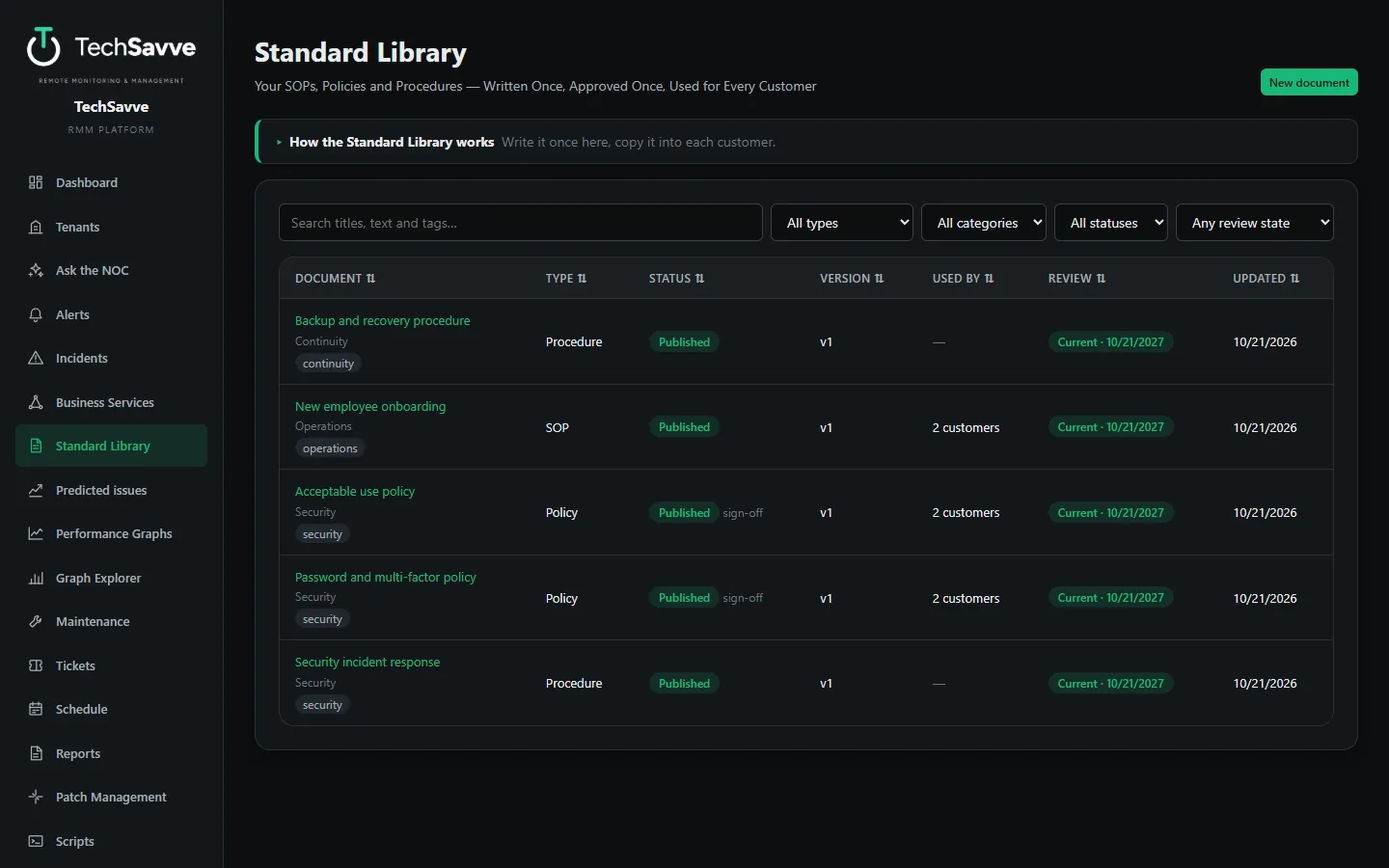
Standard Library: write your SOPs once New
Your onboarding checklist, acceptable use policy and password procedure are the same for every customer. Keep each one in one place, approved once, and use it everywhere.
Approved once
SOPs, policies, procedures and runbooks go through draft, review and approval with every change kept as a version. Only an MSP administrator approves, and each has an owner and a review date.
Used for any customer
Pick the customers and each gets a draft copy with its own name, your company’s name and today’s date filled in, ready to edit, publish and share.
See who is behind
Each copy remembers the version it came from. When you improve the standard you see which customers are behind and update them with a click. Nothing changes on its own, and the earlier text stays in the copy’s history.
Sign-off
For a policy people must accept, each customer’s users confirm they have read it, and you see how many have, for each customer.
New. Tested end to end with test accounts on a test system; newly built.
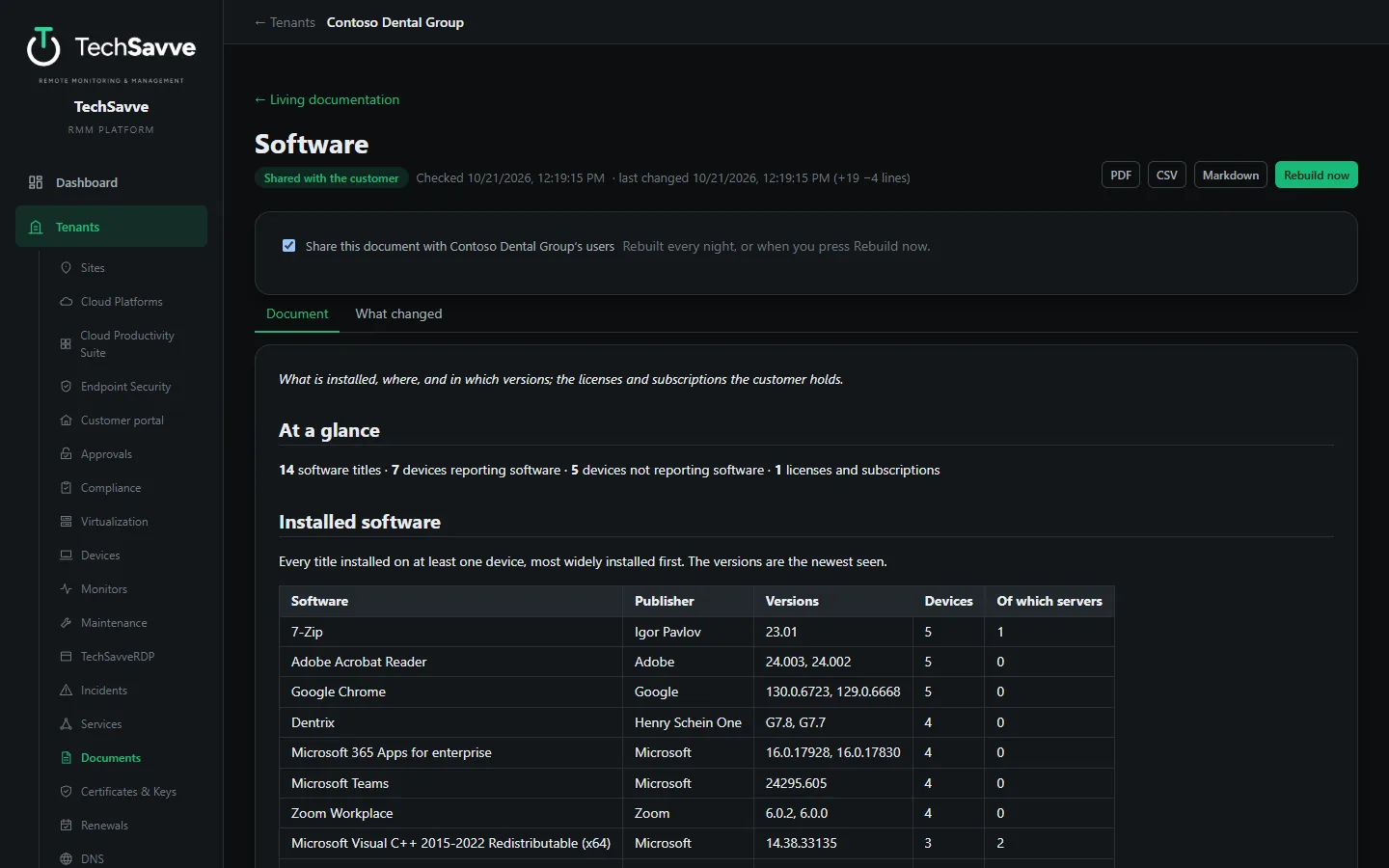
Living documentation: documents that write themselves New
Nobody enjoys typing out what is installed on every server. TechSavve already knows, so it writes the documents and keeps them current.
Five documents per customer
Infrastructure, Network and IP plan, Software, Services and dependencies, and Renewals, written from the devices, sites, address plan, installed software, service map and renewals the platform already holds.
Only real changes are versions
Each is rebuilt every night. Things that change all day, such as up or down, are left out, so a new version is saved only when something actually changed, with a line-by-line “what changed”.
Notes beside the text
Add what the data cannot tell, such as who to ask or why it is set up that way. Notes sit next to the generated text and a rebuild never touches them.
Share and export
Staff only until you share one with the customer, who then reads it without the history. Export any of them as a PDF with your letterhead, a CSV of its tables or Markdown.
New. Tested end to end with test accounts on a test system; newly built.
See TechSavve RMM in action
Book a free demo with the DFWTechPros team.