
Patch Management
Keep Windows and Linux systems current, with control over what installs and when.
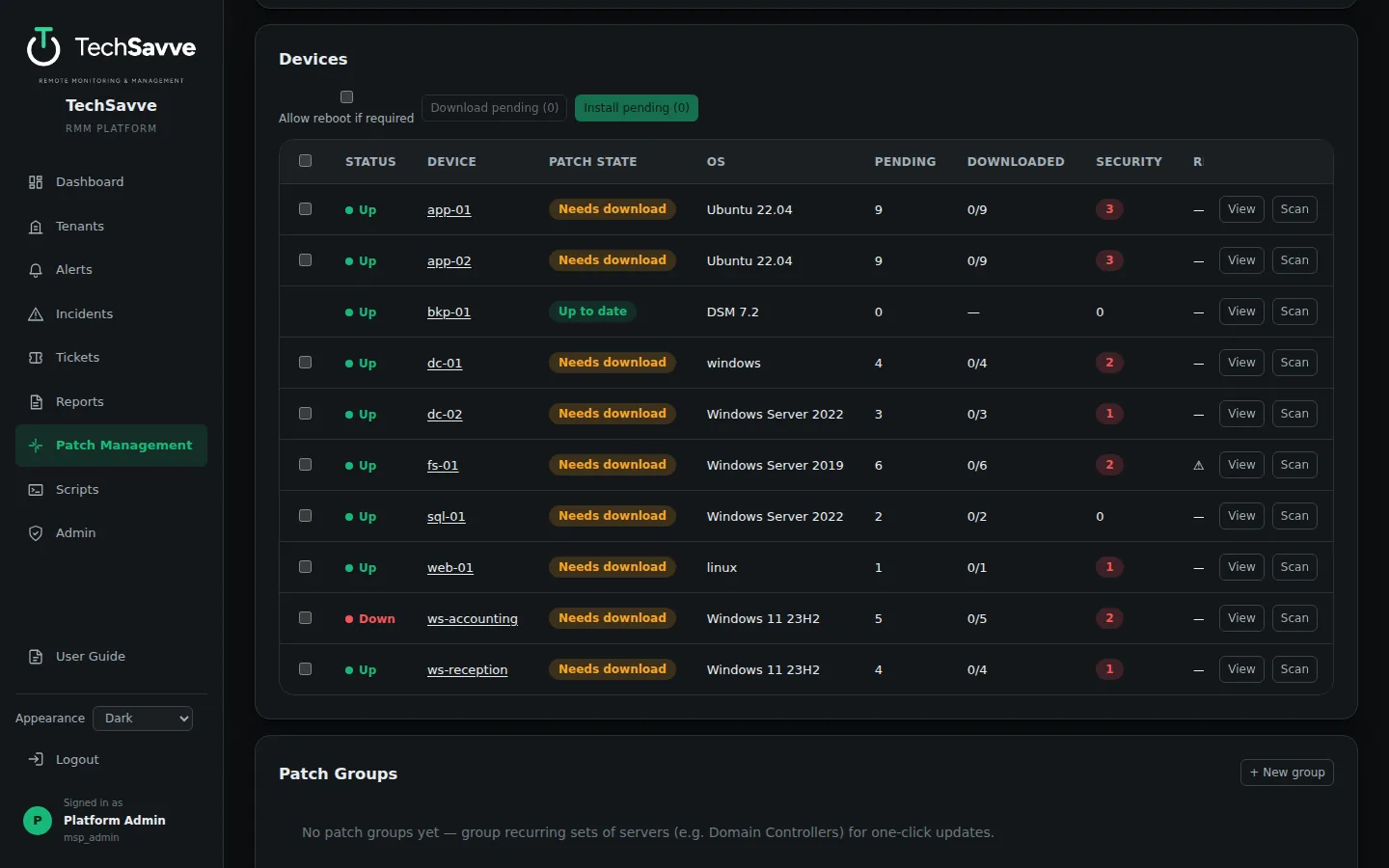
Every device, one view
Know what is missing, and fix it
Patch inventory
The site collector lists missing Windows Update and Linux (apt/dnf) updates on every managed device, rolled up per device and per tenant.
Apply on your terms
Install everything pending or pick specific updates, and allow or block reboots.
Stage only
Download updates to a device without installing them, then install in your maintenance window.
Policies and groups
Group devices, set patch policies, and apply changes across many devices at once.
Quiet while it works
A patch run that may restart a device opens its own maintenance window, so the restart does not page anyone.
Installs that stick
Windows updates install through a scheduled task on the device, so they work where a remote session cannot install them.
Find the right devices
Filter the device list by status, patch state or pending updates, and act on just the devices you can see.
See TechSavve RMM in action
Book a free demo with the DFWTechPros team.